Before you can recommend new cover, you need an accurate picture of what the client already has. That usually means keying in policy after policy from schedules and renewal notices. Intella reads them for you.
How it works
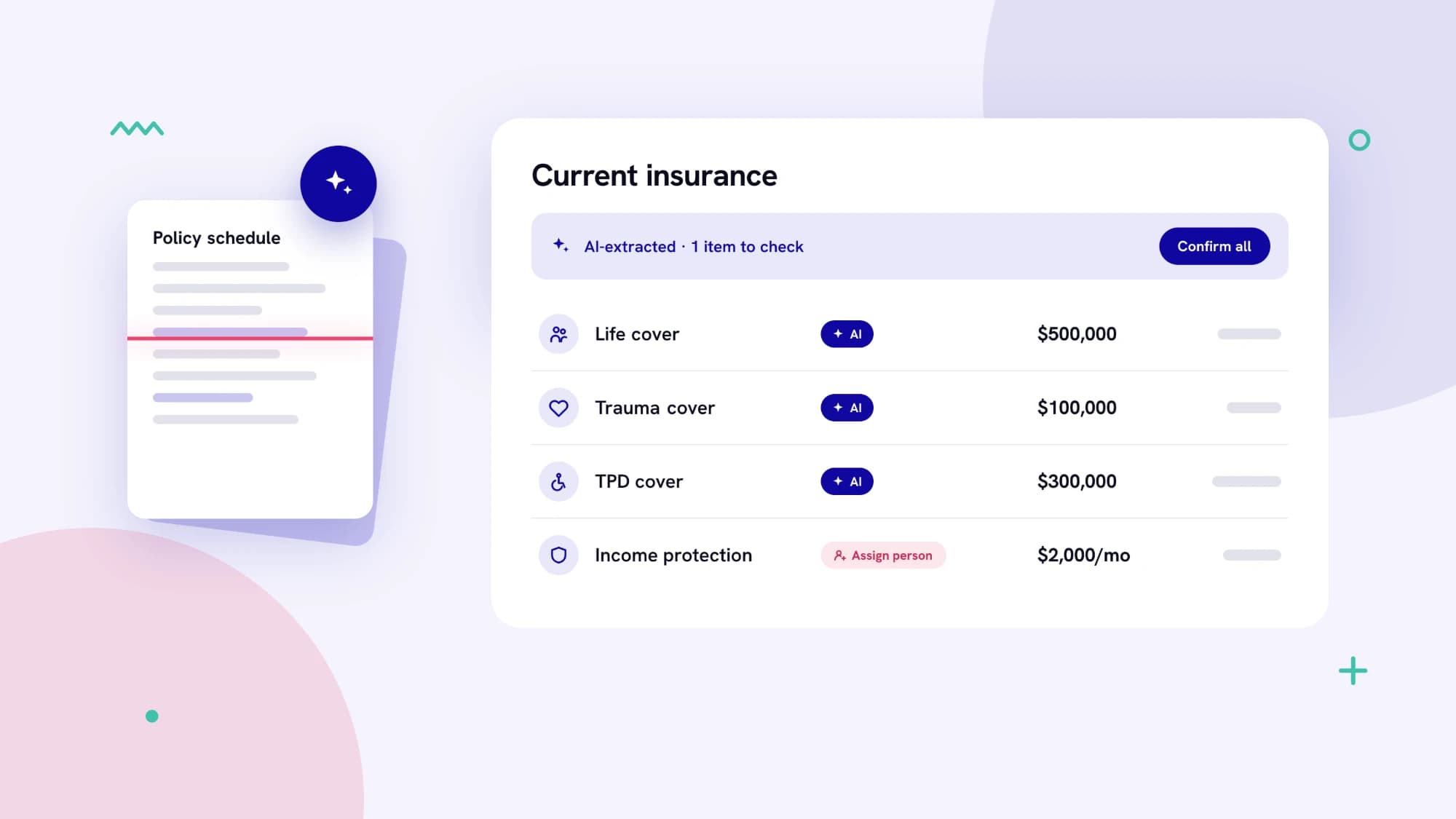
- Drop in a document. On the Current Insurance step, add a policy schedule, renewal notice or previous Statement of Advice.
- Intella fills the table. Each policy appears with its provider, cover type, amount and premium.
- Review and confirm. Extracted items carry an AI tag, and a banner shows how many need checking. When you're happy, choose Confirm all.
If the document names someone who isn't on the advice process yet, an Assign person prompt lets you choose who the cover belongs to.
The result is a complete current-cover picture in minutes, a solid base for your needs analysis, and fewer keying errors.